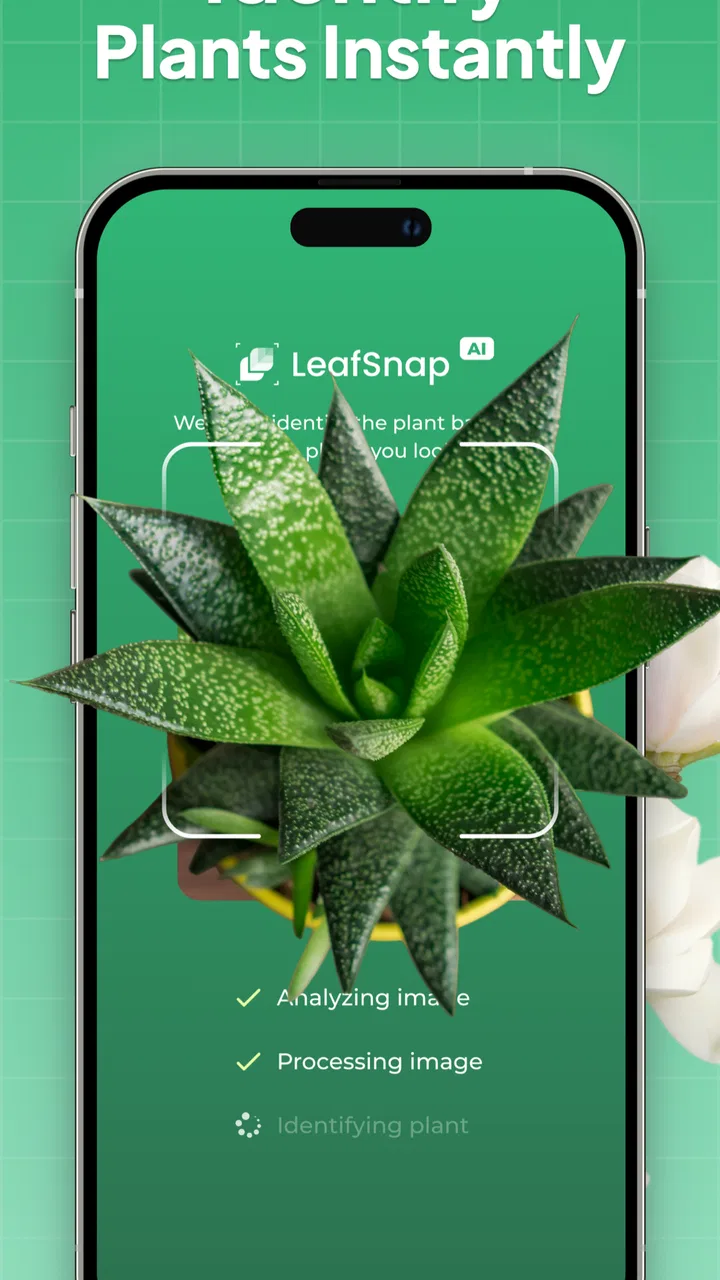
Plant Identifier: LeafSnap
- 4.4
- Rating
- 5.00M
- Installs
- Free
- Price

 Analysis by App-foxy
I use plant-identification apps most when I am standing in front of something I cannot name, not when I am already an expert looking for a full botanical reference. Plant Identifier: LeafSnap is built for that first moment: point the camera at a leaf, flower, tree, or mushroom, and use the result as a starting point for learning. After spending time with it, I see it as a friendly education app rather than a replacement for a botanist, nursery professional, or field guide.
That distinction matters. The app can make an unfamiliar plant feel approachable, especially for beginners, gardeners, parents, and students. It also offers a plant-care and disease-diagnosis angle, which makes it more useful than a simple name-search tool. At the same time, identification from one photograph is never something I would treat as final proof, particularly with mushrooms or plants that have dangerous lookalikes.
Developed by Appixi, the app is free to install and suitable for Everyone. It has reached over five million installs, with an average rating of 4.3 from around thirteen thousand ratings and roughly 2.7 thousand written reviews. Those figures suggest a well-established tool, but they do not remove the need for sensible checking when the result affects food, pets, children, or medical decisions.
You May Also Like

 Blood Strike: 2.5 Anniversary
Blood Strike’s Loadouts Turn Every Drop Into a Tactical Gamble
A close look at Blood Strike’s custom loadouts: how fast access to signature weapons reshapes its battle royale rhythm, rewards preparation, and narrows the gap between fights.

 Pandora - Music & Podcasts
Pandora’s Music Is Easy to Start, but Harder to Recover
Pandora’s strength is its low-effort path from a seed to a station. Its weak spot is how much confidence it asks you to place in connection, setup, and quiet recovery.

 8 Ball Pool
 Is Built on Rivalries, Rematches, and Routine
A close look at the rivalries, rematches, shared routines, and unanswered safety questions that turn a quick pool match into a persistent mobile community.

 Samsung Music
’s Quiet Strength Is Playing What You Already Own
Its reach comes less from spectacle than from dependable access to a personal library. That simplicity is both the app’s strongest retention engine and its ceiling.

 AccuWeather: Weather Radar
AccuWeather Review: A Quick, Clear Forecast for Everyday Decisions
For everyday plans, the best forecast is the one you can understand quickly. AccuWeather makes rain timing, radar, and local conditions easy to act on, with a few trade-offs.

 Hill Climb Racing
Why Hill Climb Racing Still Turns Crashes Into One More Run
A tiny car, a bumpy hill and one more upgrade: Hill Climb Racing keeps resurfacing because its simple chaos makes every near-miss feel personal.
More From Our News Desk



How I Decide Whether a Plant Identifier Is Worth Using
I judge a plant identifier by what it helps me do after the first satisfying match: notice useful details, ask better questions, and make a sensible next move. I also pay attention to whether its role still feels worthwhile once identifying a novelty plant is no longer new. That makes everyday upkeep—and the habits it encourages—the next thing I consider.
The first question is what you want to do after identification
If your only goal is to settle a quick argument about a flower in a park, speed and simplicity matter most. If you want to care for a houseplant, you need more than a name: you need to understand whether the diagnosis is plausible, what visual symptoms matter, and whether changing watering or light is sensible. If you are studying botany, you will want reliable terminology and enough detail to compare similar species.
LeafSnap fits the casual and intermediate end of that range. I found its greatest value in turning curiosity into a practical next step. Instead of searching vague phrases such as “plant with long pointed leaves,” I could begin with a photograph and then use the suggested identity to guide further reading. That saves time, but I still treat the suggestion as a lead rather than a verdict.
A good photograph is part of the result
One of the most important lessons from using an image-based identifier is that the camera work affects the answer. A distant picture of an entire shrub may show its shape but hide the details that separate related species. A close image of one damaged leaf may show disease symptoms but conceal the plant’s normal form. I get better results when I take a clear image in natural light, include an undamaged leaf, and add another view of the flower, stem, bark, or overall growth habit when the app allows a broader assessment.
I also avoid photographing through glass, under harsh shadows, or with several different plants in the same frame. This is a small workflow change, but it is one of the most useful practical improvements. It prevents me from blaming the app for an ambiguous image when the real problem is that the photograph did not contain enough evidence.
Identification confidence should change how you act
A suggested name is helpful for learning, but confidence should depend on the consequences of being wrong. For a harmless ornamental plant, an imperfect result is usually just a minor inconvenience. For a mushroom, an edible wild plant, or anything near a child or pet, I would stop at identification and verify the result through a trusted local source. No camera app should be the only safety check in those situations.
The same caution applies to disease diagnosis. A brown edge can come from watering habits, sun exposure, salt buildup, pests, physical damage, or an infection. An app can help me notice patterns and ask better questions, but I would not apply a treatment simply because one photograph produced a disease label. The practical value is in narrowing possibilities, not in replacing observation.
What makes the app attractive at the starting line
The free entry point is important. I can try the basic experience before deciding whether it belongs in my regular gardening routine. The app runs on Android devices using at least version 7.0, so it is accessible to people who are not using a recent phone. Its current version is 2.8.5, and the mature install base makes it feel like a product intended for repeated everyday use rather than a one-off experiment.
There are in-app purchases ranging from $1.99 to $49.99 per item, so I would check the purchase screen carefully before confirming anything. The free label makes testing easy, but the presence of optional paid items means the app should be judged on the actual experience offered on your device, not only on the initial download cost.
Where LeafSnap is especially useful
The strongest use case for me is the “what is growing here?” moment. Imagine finding a volunteer plant in a balcony pot after a rainy week. You take a close photo, receive a possible identity, and then compare that suggestion with the plant’s leaves, growth pattern, and flowers. Even if the first answer is not perfect, you are now searching with a meaningful name instead of a description based on guesswork.
It is also useful during a garden walk. I can photograph several plants and use the results as prompts for learning rather than trying to memorize every name immediately. That makes the app approachable for children and beginners because it turns a walk into a series of small discoveries. The educational benefit is not just the label; it is the habit of looking closely at leaf shape, flower arrangement, texture, and overall structure.
For houseplant owners, the care and disease-diagnosis focus gives the app a second role. When a familiar plant begins to look unhealthy, I can use a photograph to organize my thinking before making changes. I would still inspect the soil, pot drainage, light level, watering routine, and nearby plants, but the app can help me move from vague worry to a more focused checklist.
Three practical habits that improve the experience
Photograph the plant in stages. Start with the whole plant, then take a closer view of a healthy leaf and any flower or fruit. Different visual clues answer different identification questions.
Keep the original photo. If a result seems questionable, the image gives you something to compare with a field guide, gardening community, or local expert instead of relying on memory.
Separate naming from treatment. Use the identification result to investigate care, but make watering, pruning, or disease decisions only after checking the plant’s actual conditions.
These habits are easy to overlook because the camera interaction feels immediate. In practice, they make the difference between using the app as a thoughtful learning aid and treating it like an automatic answer machine.
Where the usual alternatives can be better
LeafSnap is not the only way to identify a plant, and it is not always the best one. A traditional field guide is slower, but it encourages you to compare several characteristics instead of accepting the first visual match. That can be better for serious study or for plants with many similar varieties. A local gardening group or nursery professional may also provide more useful advice when the question involves regional conditions, pests, soil, or seasonal behavior.
General web searches have a different advantage: they let you combine a name with a location, symptom, season, or care problem. Once LeafSnap gives me a possible identity, I may still search for that plant together with phrases such as “yellow leaves indoors” or “native lookalike.” This two-step approach is often stronger than using either tool alone.
For mushroom identification, I would choose expert confirmation over convenience every time. A visual suggestion can be educational, but the cost of a dangerous mistake is too high. The app may help me learn the vocabulary of mushrooms and document what I found, yet it should not become an edible-versus-poisonous decision-maker.
People who want a structured plant collection may also prefer a dedicated gardening journal or care tracker. LeafSnap’s appeal is immediate recognition and guidance around the photographed plant. A separate record-keeping tool may be more suitable for scheduling, inventory, propagation notes, or long-term garden planning. I would not choose this app expecting it to replace every gardening utility.
What switching to it actually involves
The cost of switching is low if you are currently searching manually. You can begin with a photograph instead of changing your entire gardening routine. The bigger adjustment is mental: you need to accept that an image result is a hypothesis. Users who want one definitive answer may become frustrated when a plant is visually ambiguous or when a damaged specimen does not provide enough clues.
There is also a learning curve in taking useful pictures. At first, it is tempting to point the camera at the nearest leaf and accept whatever appears. After a few attempts, I learned to include context and detail. That small effort pays off, but it means the app rewards patient use more than careless snapshots.
The financial side deserves attention as well. The app is free, but optional purchases can range from $1.99 to $49.99 per item. I would explore the free experience first, read each purchase screen, and decide whether any paid element solves a problem I genuinely have. Someone who only identifies a plant once in a while may not see enough value in spending more, while a keen gardener may find repeated use easier to justify.
Who should install it
I would recommend it to beginners who want a less intimidating way into plant knowledge. It is also a good fit for casual gardeners who regularly encounter unknown weeds, flowers, trees, and houseplant symptoms. Families can use it as a conversation starter during walks, and students can use it to create a more active observation habit instead of copying names from a list.
It is particularly helpful for someone who knows that a plant is unhealthy but does not know how to describe the problem. The diagnosis-oriented workflow can provide useful terms to research. The important point is to combine that suggestion with physical inspection: check the underside of leaves, examine the soil, look for insects, and consider recent changes in light or watering.
Who should skip it or use something else first
I would skip it as a primary tool if you need professional-grade certainty, detailed botanical keys, or authoritative advice about poisonous species. A specialist reference, regional guide, or human expert is safer for those situations. I would also hesitate if your main goal is maintaining a detailed garden database, because recognition is different from long-term organization.
People who dislike camera-based tools may prefer a manual search. That approach takes longer but gives more control over which characteristics are considered. Likewise, users with an older device that struggles with camera focus may find the experience less satisfying, even though the minimum operating-system requirement is Android 7.0.
My recommendation after using it
LeafSnap is worth trying when you want a convenient first answer and a gentle way to learn about plants. I like it most as a bridge between seeing an unfamiliar plant and knowing what to investigate next. The combination of identification, plant-care guidance, and disease-oriented help gives it more everyday value than a tool that only returns a name.
My recommendation comes with a clear boundary: do not use it as the sole authority for eating a wild plant, handling a mushroom, treating a serious disease, or deciding whether a plant is safe around vulnerable people or animals. In those cases, use the app for clues and documentation, then verify independently.
For a free education app from Appixi with an Everyone age rating, broad device compatibility, and a substantial user base, it offers a sensible low-risk starting point. The optional purchases mean I would review the payment choices rather than assume everything is included, but the initial trial is straightforward. If you want a pocket companion for curious walks, houseplant troubleshooting, and everyday identification, I would install it. If you need certainty, specialist taxonomy, or a complete garden-management system, I would choose a more focused alternative and keep this app as a supporting tool.
FAQs for Plant Identifier: LeafSnap
01What is Plant Identifier: LeafSnap and how does it work?
Plant Identifier: LeafSnap is an app designed to help users identify plants, flowers, trees, and more using their smartphone's camera. Simply take a photo of the plant in question, and the app will analyze the image to provide you with detailed information about the species, including its scientific name, care tips, and more.
02Is Plant Identifier: LeafSnap free to use, or does it require a purchase?
LeafSnap offers a free version with basic features, allowing users to identify a limited number of plants per day. For those who need unlimited identifications and additional features such as detailed plant care guides and offline access, a premium subscription is available. The subscription can be purchased monthly or annually.
03How accurate is the plant identification feature in LeafSnap?
The accuracy of LeafSnap's plant identification is generally high, as it uses a comprehensive database and advanced image recognition technology. However, accuracy can vary based on the quality of the photo and environmental factors. Users are encouraged to take clear, well-lit pictures for the best results, and cross-reference with other sources when necessary.
04Can I use LeafSnap offline, and does it work internationally?
LeafSnap's primary features require an internet connection to access its plant database. However, the premium version offers offline access to certain features. The app is designed to work globally, providing plant identification for a wide range of species found in different regions around the world.
05What additional features does LeafSnap offer besides plant identification?
Beyond basic plant identification, LeafSnap offers a variety of additional features. These include detailed plant care guides, a personal plant collection to track and organize your findings, and the ability to share discoveries with a community of plant enthusiasts. The premium version also provides access to more in-depth information and offline capabilities.
Pros
- Accurate plant identification using AI.
- User-friendly interface with intuitive navigation.
- Extensive database of plants and trees.
- Offline access for field use.
- Includes plant care tips and guides.
Cons
- Limited free features
- requires subscription.
- Occasional misidentification of rare plants.
- Heavy on battery usage during identification.
- Advertisements in the free version can be intrusive.
- Requires internet for full database access.

Plant Identifier: LeafSnap
Gallery